
Skip to content
-
Subscribe to our newsletter & never miss our best posts. Subscribe Now!
VP9X Capital VP9X Capital VP9X Capital

Trusted Reviews for Hosting, Finance & Digital Platforms

VP9X Capital VP9X Capital VP9X Capital

Trusted Reviews for Hosting, Finance & Digital Platforms

  • Affiliate Networks
    • CJ Affiliate
    • Impact
    • PartnerStack
    • Awin
  • Finance
    • Forex Brokers
    • Crypto Exchanges
    • Crypto Wallets
    • Prop Trading Firms
    • Trading Platforms
  • AI Tools
    • AI Writing Tools
    • AI Voice & Audio
    • AI Image Generators
    • AI Video Tools
    • AI SEO Tools
  • Hosting
    • Domain Hosting
    • WordPress Hosting
    • VPS Hosting
    • Cloud Hosting
    • Shared Hosting
  • Reviews
    • Finance Reviews
    • Hosting Reviews
    • AI Reviews
  • Affiliate Networks
    • CJ Affiliate
    • Impact
    • PartnerStack
    • Awin
  • Finance
    • Forex Brokers
    • Crypto Exchanges
    • Crypto Wallets
    • Prop Trading Firms
    • Trading Platforms
  • AI Tools
    • AI Writing Tools
    • AI Voice & Audio
    • AI Image Generators
    • AI Video Tools
    • AI SEO Tools
  • Hosting
    • Domain Hosting
    • WordPress Hosting
    • VPS Hosting
    • Cloud Hosting
    • Shared Hosting
  • Reviews
    • Finance Reviews
    • Hosting Reviews
    • AI Reviews
  • https://www.facebook.com/
  • https://twitter.com/
  • https://t.me/
  • https://www.instagram.com/
  • https://youtube.com/
🔔 Subscribe
VP9x Capital

Bitget Registration Guide for Beginners

3 Min Read
0

PART 1: What is Bitget?

Bitget is a fast-growing cryptocurrency exchange known for copy trading, spot and futures trading, and competitive fees.

Founded in 2018, it now serves millions of users globally with robust security and 24/7 support.

PART 2: How to Register an Account on Bitget

Step 1: Visit the official website at www.bitget.com or download the Bitget app from the App Store or Google Play.
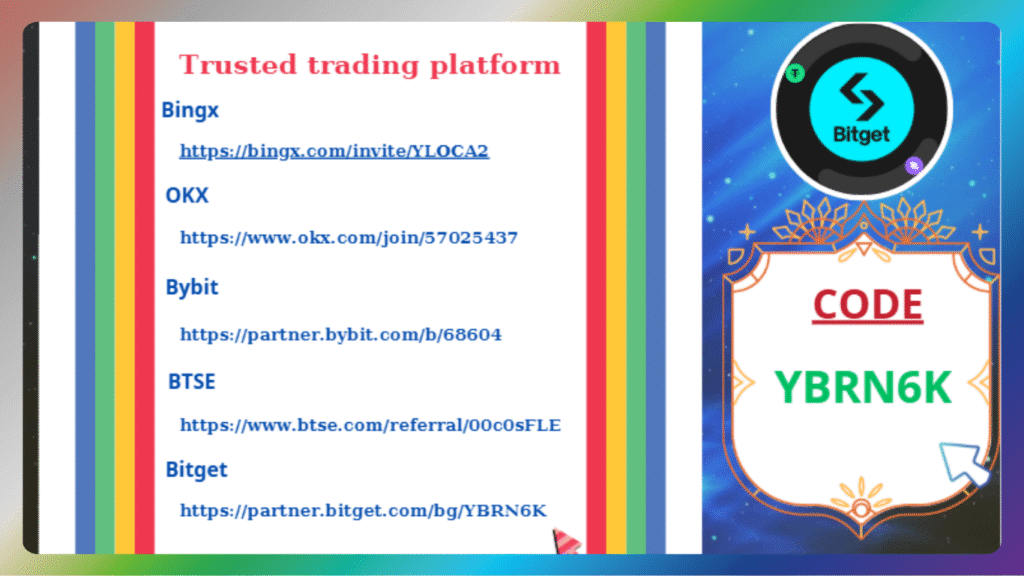
Step 2: Click the “Sign Up” button at the top right corner.

Step 3: You can sign up using your email or phone number.
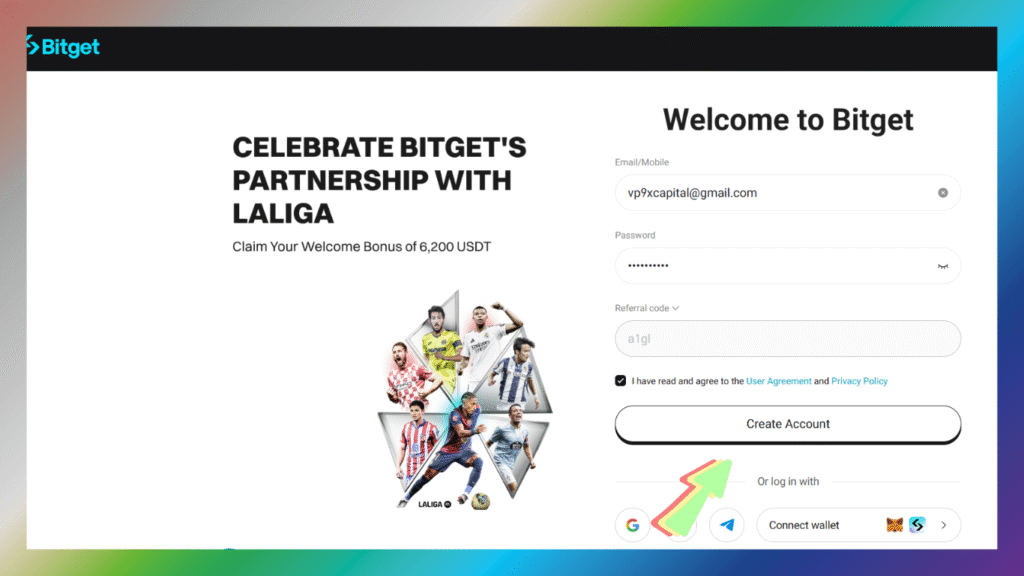
Step 4: Enter a strong password and confirm it.

Step 5: Input the verification code sent to your email or phone.
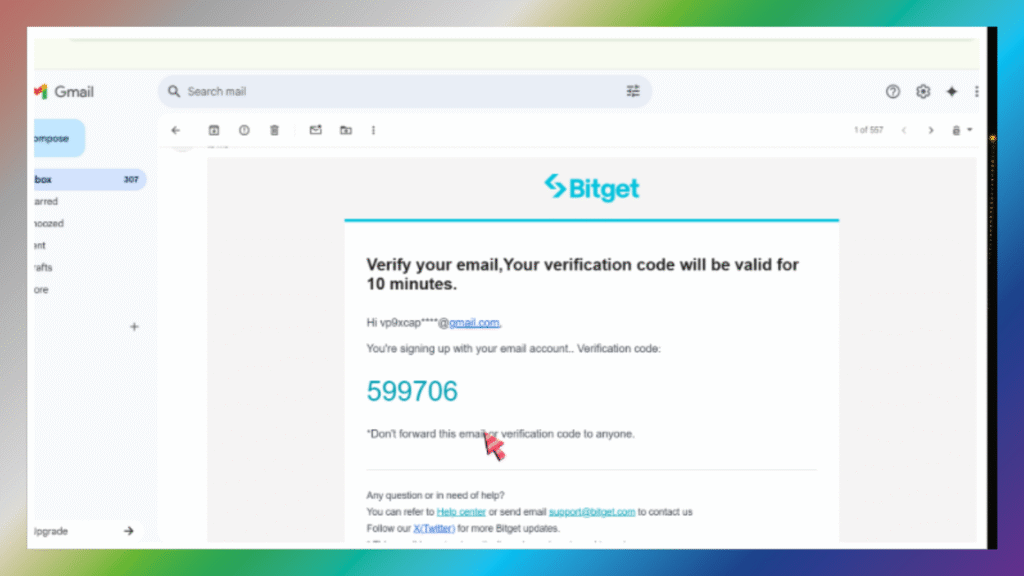
Once verified, your account is successfully created.

PART 3: Why Identity Verification (KYC) Is Important

KYC stands for “Know Your Customer” — it’s required to unlock full features and ensure security.

You’ll need to verify your identity to increase withdrawal limits, trade P2P, and access features like Launchpad.

Bitget uses KYC to prevent fraud, money laundering, and to comply with regulations.

PART 4: How to Complete KYC on Bitget

Step 1: After logging in, go to your profile icon and select “Identification” or “Verify Now.”
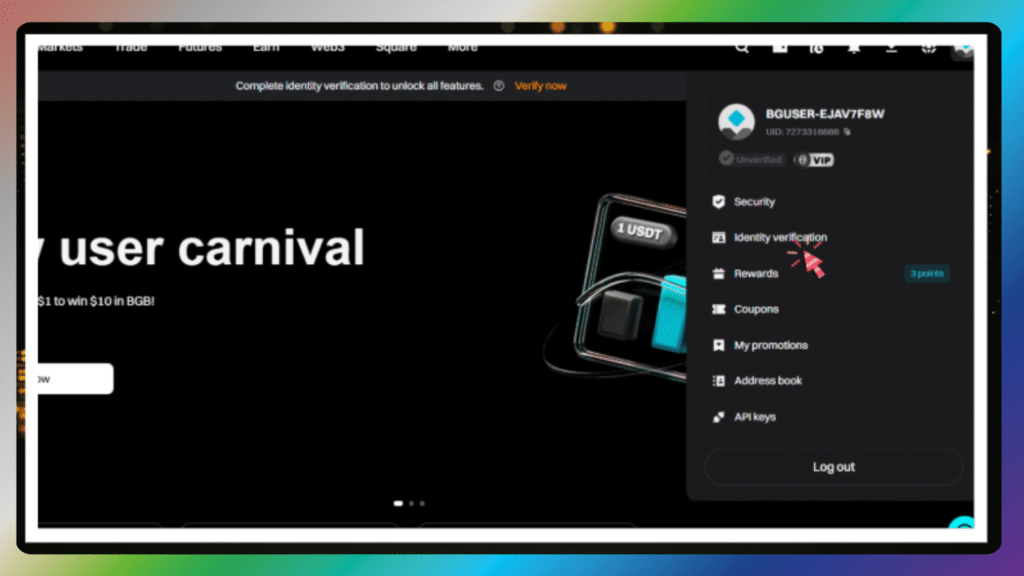
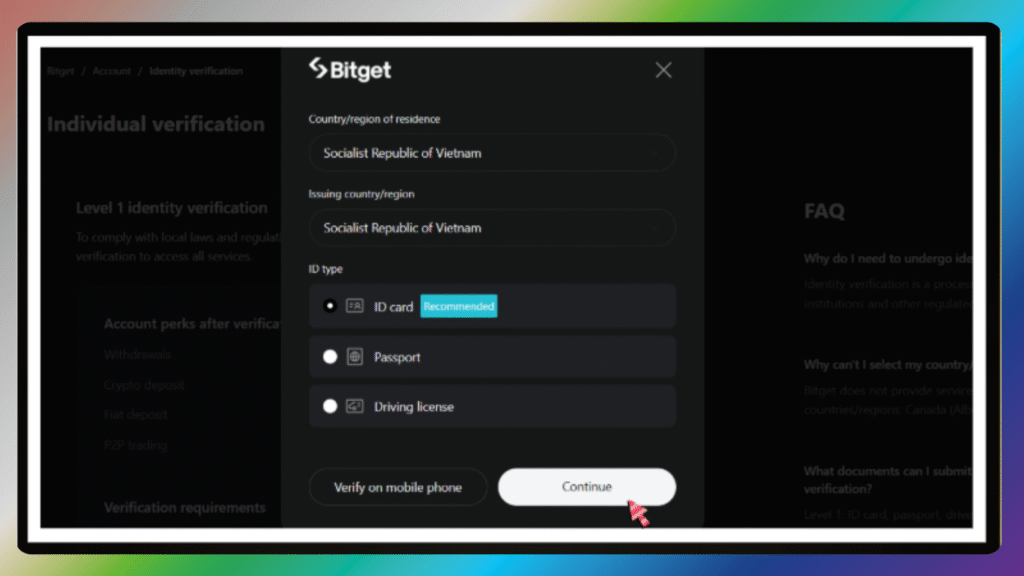
Step 2: Choose your country and document type (Passport, ID card, or Driver’s License).
Step 3: Upload clear photos of the front and back of your ID.
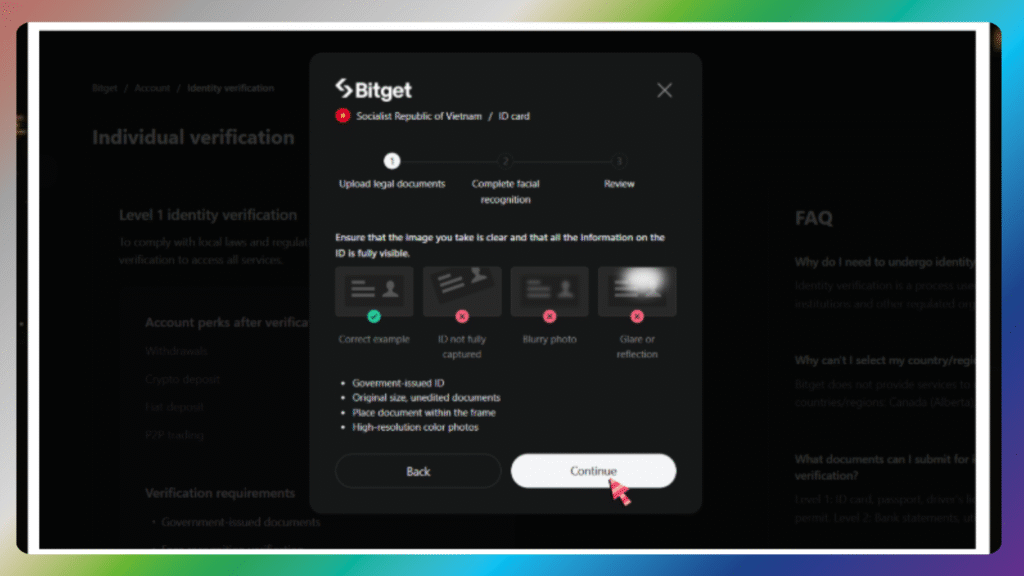
Step 4: Take a selfie or record a video for facial recognition.
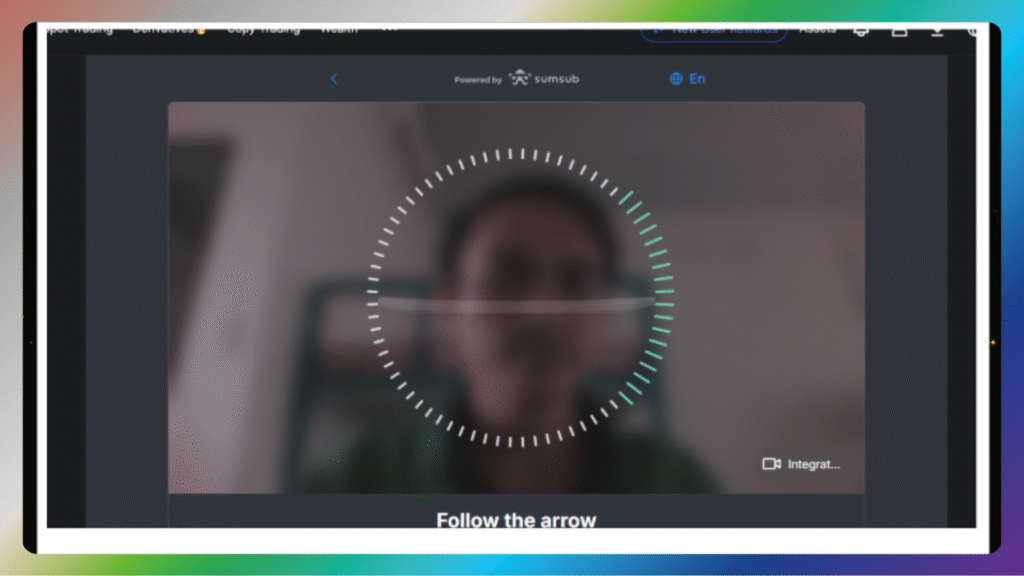
Step 5: Submit and wait for approval — usually completed in 5 to 30 minutes.

PART 5: Common KYC Mistakes to Avoid

Don’t upload blurry or dark images — everything must be readable.

Use your legal name that exactly matches your ID.

Don’t use filters or edited documents — this will lead to rejection.

PART 6: Enable Two-Factor Authentication (2FA)

To secure your Bitget account, activate 2FA using Google Authenticator.
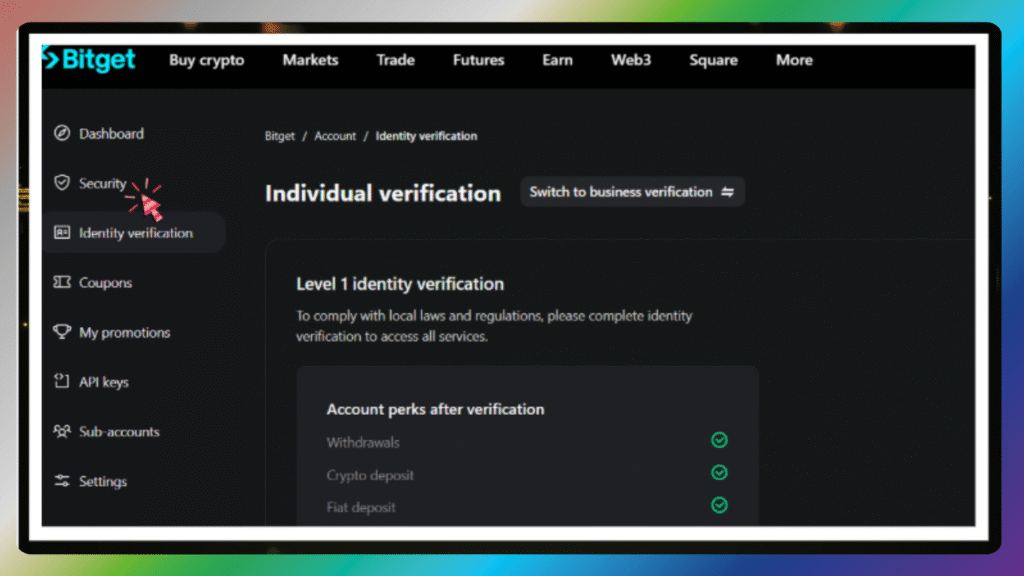
Go to “Security Settings” → “Google Authenticator” and scan the QR code.
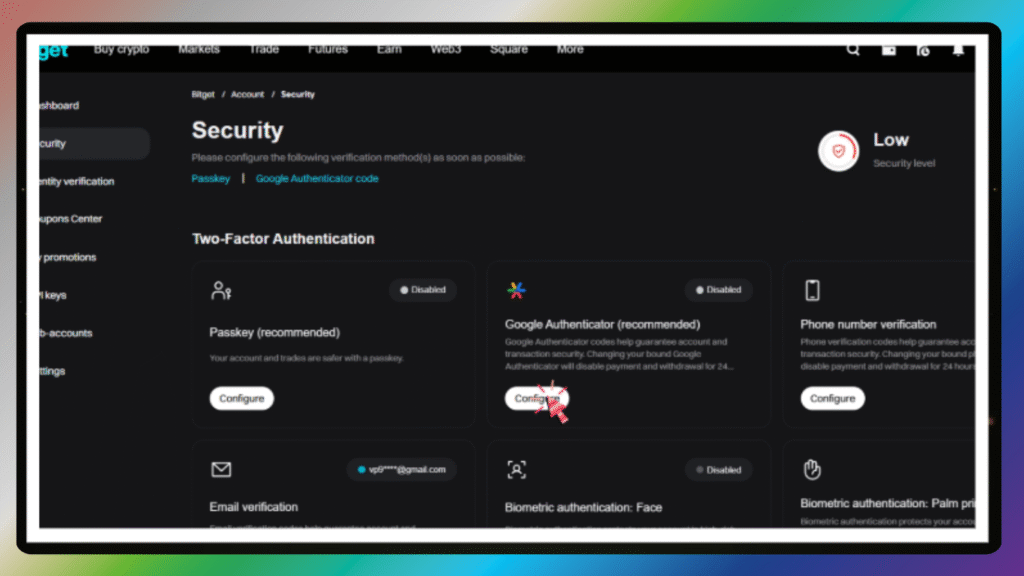
Enter the code shown in the app to complete setup.

This helps prevent unauthorized access to your funds.

Author

phanvietphung

Follow Me
Other Articles
Previous

Bybit Registration Guide for Beginners

Next

The Ultimate 2025 AI Tools List for Smart Affiliates

No Comment! Be the first one.

Leave a Reply Cancel reply

Your email address will not be published. Required fields are marked *

  • AI Generator
  • AI Video
  • AI Voice
  • AI Writing
  • Crypto Exchange
  • Hosting Domain
  • Hosting Email
  • Hosting WordPress
  • IB Program
  • Review
Banner đối tác

Company

Partner with VP9XCapital and explore powerful affiliate opportunities across hosting, finance, software, and digital services.

California, TX 70240
vp9xcapital@gmail.com
+1 415-555-8888

Partnership

  • About Us
  • How It Works
  • Become a Partner
  • Affiliate Program
  • Digital Services
  • Contact Us

Platforms

  • Hosting Reviews
  • Finance Platforms
  • Crypto & Forex
  • AI Tools
  • VPN Services
  • Software Deals

Resources

  • Blog
  • Guides
  • FAQ
  • Community
  • Help Center
  • Advertise
Copyright 2026 — VP9X Capital. All rights reserved. Blogsy WordPress Theme

SUBMIT YOUR INFO

List of Exchange Partners